

AI CERTS
2 months ago
Codex Windows control expands GUI automation for developers
However, privacy and governance questions are surfacing alongside excitement. This article unpacks the Windows rollout, capabilities, risks, and enterprise implications. Readers will also find links to certifications enhancing agent skillsets. Stay with us as we map the opportunities for secure automation. Moreover, we track how competitors respond to OpenAI’s latest move. By the end, you will understand where Codex Windows control fits in your stack. Let us dive in.
Windows Rollout Key Overview
Codex first offered computer use on macOS in April. OpenAI then updated the desktop package to version 26.527 on May 29. The installer ships as a signed Windows app via the Microsoft Store. Consequently, Windows users gained the same visual agent, though with foreground constraints. Official notes confirm the feature remains unavailable in the EEA, the UK, and Switzerland. Moreover, enterprise and education workspaces start with the capability disabled. Administrators must enable Codex Windows control before staff can launch sessions. These gating measures echo OpenAI’s cautious macOS rollout last year. However, the company now claims over three million weekly developer users across platforms. Such momentum suggests rapid Windows adoption once policies settle.
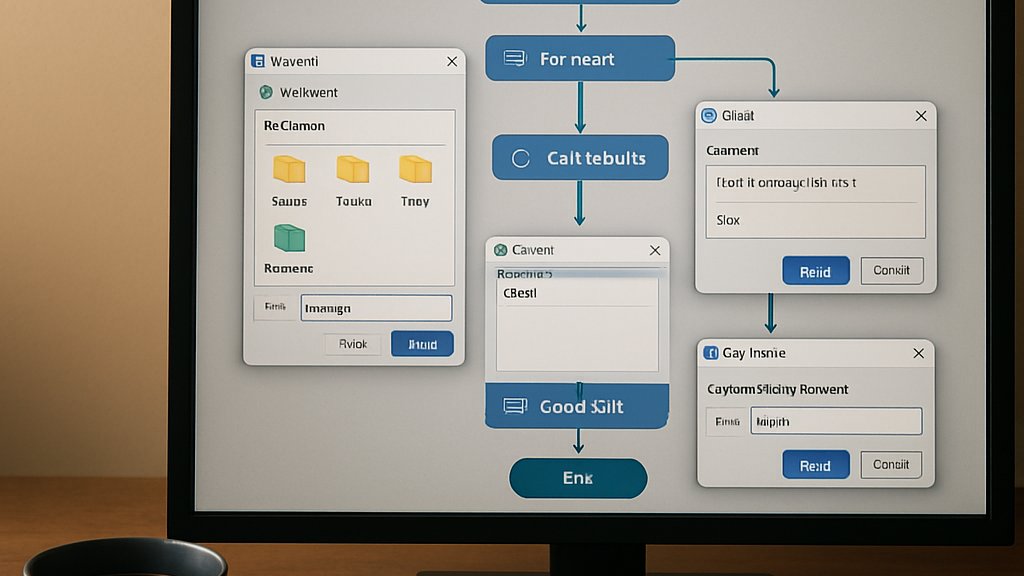
In summary, the rollout places careful guardrails around a highly demanded feature. Meanwhile, pent-up interest promises swift traction as regions clear approvals. Next, we examine what the agent can actually do on Windows.
Core Capability Highlights Today
Codex reads the active desktop scene pixel by pixel. It then clicks, types, or drags elements to fulfill a user instruction. Therefore, GUI workflows like registry edits or design tweaks become scriptable without extra tools. Because computer use crosses many legacy tools, the feature closes long-standing gaps. Developers pair these actions with Python code blocks, plugin calls, or in-app browser steps. Additionally, a mobile ChatGPT client can steer or pause an ongoing run from anywhere. This remote pattern supports overnight test suites or long builds. However, Windows permits only foreground interaction, unlike macOS locked mode. Consequently, users must leave the desktop unlocked while Codex works. The agent also cannot accept admin prompts or elevate privileges. Nevertheless, clipboard integration and browser independence cover many everyday needs.
- View and interpret on-screen pixels
- Click, type, and drag controls
- Access 90+ official plugins
- Steer sessions via ChatGPT mobile
- Launch any Windows app
Together, these abilities push Codex Windows control toward full-stack desktop control. Yet design trade-offs remain, as the next section shows.
Foreground Mode Usage Limits
Foreground execution means users watch every Codex step in real time. In contrast, macOS locked mode hides the session behind a privacy curtain. Subsequently, Windows multitasking can suffer because the cursor moves autonomously. Therefore, experts suggest dedicating a spare machine or virtual desktop to heavy jobs. OpenAI also blocks terminal windows, preventing low-level script execution. Nevertheless, many GUI testing scenarios still complete successfully. These constraints shape governance approaches discussed later.
Overall, foreground limits safeguard visibility but constrain unattended workflows. Consequently, policy teams must balance oversight with efficiency. Governance strategies take center stage next.
Enterprise Governance Checklist Points
Enterprises often disable new agent features until risk reviews finish. For Codex Windows control, OpenAI offers role-based toggles and audit logs. Additionally, per-application permission prompts appear before Codex touches any window. Administrators can mark certain programs as always allowed after verification. Moreover, screenshot memory, branded Chronicle, can be disabled entirely. Security teams should store agent logs and captures in isolated environments. Subsequently, incident responders will have quick access without exposing production data. OpenAI’s documentation recommends virtual machines for sensitive projects. Professionals can deepen governance skills through the AI Prompt Engineer™ certification. Such training assists teams designing secure automation pipelines.
In summary, layered controls and education reduce enterprise exposure. Next, we explore the privacy debate shaping public perception.
Privacy And Security Debate
Chronicle periodically records screen snippets to maintain task context. However, critics liken the mechanism to Microsoft’s paused Recall feature. Privacy advocates warn that cached images could reveal credentials or customer data. In contrast, OpenAI insists captures stay local and encrypted. Moreover, Chronicle operates only when a job is running, not idling. Nevertheless, audit requirements may push firms to disable memory by default. Security researchers recommend weekly cleanup scripts and strict retention windows. Consequently, Codex Windows control adoption will hinge on clear retention policies. These discussions mirror earlier browser-extension telemetry debates.
Overall, transparency builds trust amid strong privacy scrutiny. Moving forward, competition will intensify the standards race. We now survey that competitive field.
Competitive Landscape Rapid Snapshot
Google, Anthropic, and Mistral ship rival agent frameworks with varying desktop integration. However, none yet control native Windows app at Codex’s scale. Microsoft’s Copilot stitches OS APIs but lacks full cursor manipulation. In contrast, OpenAI opted for visual inference rather than deep system hooks. Additionally, plugin catalogs give Codex an integration edge across cloud pipelines. Consequently, observers expect accelerated feature parity races this quarter. These dynamics will influence enterprise purchasing roadmaps.
Summing up, Codex leads GUI reach while rivals chase depth. Attention now shifts to future enhancements for developers. Let us examine that roadmap.
Future Outlook For Developers
OpenAI hints at background Windows sessions once security models mature. Subsequently, locked workflows could match macOS parity. Moreover, deeper terminal orchestration remains a top request from DevOps teams. OpenAI also teases smarter memory pruning to appease compliance auditors. Meanwhile, plugin partners keep releasing specialized connectors that expand automation options. Therefore, learning operational patterns today will prepare teams for richer capabilities tomorrow. Developers mastering Codex Windows control plus governance best practices should gain competitive advantage. Furthermore, linking ChatGPT prompts with plugin calls speeds prototyping.
- Background Windows sessions
- Terminal window interaction
- Adaptive memory pruning
- Expanded plugin catalog
These possibilities illustrate why up-skilling remains essential. Professionals should track release notes and practice secure desktop control workflows regularly.
In essence, rapid iteration will reward proactive learning. Finally, we recap key insights and actions.
Conclusion And Next Steps
Codex Windows control now brings powerful automation to the world’s largest desktop ecosystem. Windows app interactions, mobile steering, and plugin breadth create fresh developer opportunities. Teams adopting Codex Windows control must document workflows for auditors. However, privacy, governance, and foreground limitations demand disciplined rollout planning. Moreover, enterprises must establish retention, approval, and isolation policies before scaling. Consequently, teams who act early will guide standards and gain efficiency. Meanwhile, competitors intensify research, confirming the strategic importance of desktop control. Professionals can solidify skills through the linked AI Prompt Engineer certification. Start experimenting with Codex Windows control today to stay ahead.
Disclaimer: Some content may be AI-generated or assisted and is provided ‘as is’ for informational purposes only, without warranties of accuracy or completeness, and does not imply endorsement or affiliation.


