

AI CERTS
1 hour ago
Apple Shortcuts Redefined With AI Workflow Automation
Describe Shortcut Revolution Arrives
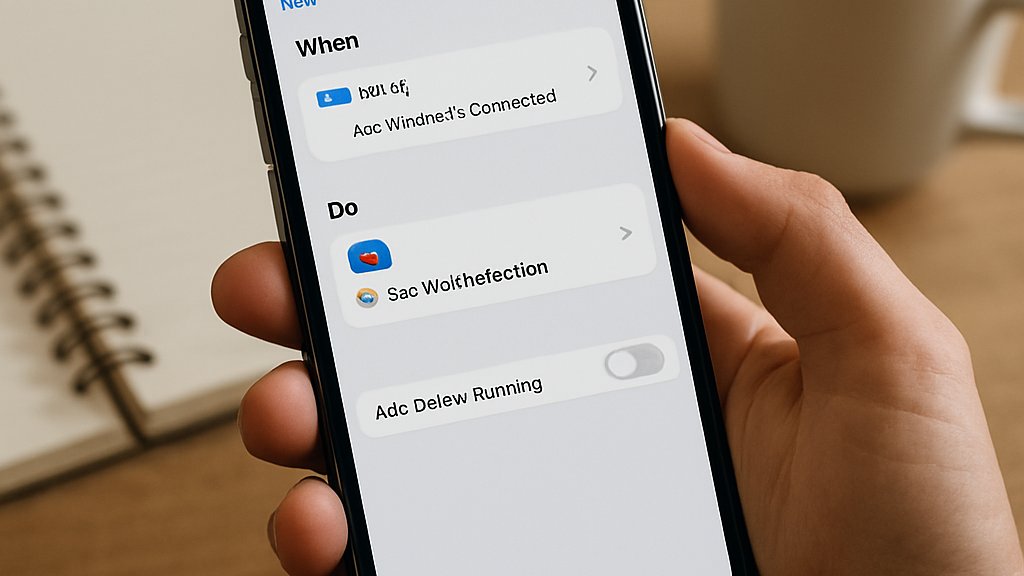
Describe a Shortcut debuted on 8 June 2026. Apple demonstrated it during the WWDC keynote alongside updated Shortcuts triggers. Cecilia Dantas acknowledged that traditional visual building felt complex for many users. Consequently, Apple Intelligence now parses natural language and assembles actions, variables, and triggers automatically. Users can say, “Send my partner my ETA when I leave work,” and receive a functioning automation. Furthermore, the generated workflow remains editable through the familiar visual interface.
Early adopters cite higher productivity during travel and meetings. Consequently, AI Workflow Automation feels instantaneous rather than procedural in this release. These capabilities mark a clear pivot toward conversational creation. However, understanding the integration layers clarifies how Apple made the leap.
How Integration Flow Works
At the core sits the Use Model action introduced with iOS 26. It funnels structured intents and optional prompts into on-device or cloud models. Moreover, the app converts model outputs into typed values that feed conditional logic. Developers expose entities through App Intents, enabling cross-app workflow automation. Meanwhile, Apple Intelligence decides whether the iPhone can process the request locally. If not, Private Cloud Compute handles the load inside an encrypted environment.
In contrast, users may route certain prompts to ChatGPT or Gemini under explicit opt-in. Therefore, every Describe a Shortcut session logs a transcript for later inspection. This layered routing keeps privacy visible while sustaining AI Workflow Automation speed. These mechanics underpin Apple’s promise, and they also shape the privacy debate ahead.
Apple Privacy Model Explained
Privacy remains Apple’s strongest marketing pillar. Consequently, the company highlights three processing tiers. On-device execution never leaves the handset, preserving offline security. Private Cloud Compute handles heavier tasks inside Apple-controlled, ephemeral servers. Moreover, Apple claims the data is encrypted and inaccessible even to its engineers. External models, including ChatGPT and Gemini, activate only after explicit consent. Users see routing indicators that reveal when data travels beyond the device.
Nevertheless, analysts warn that multi-provider flows complicate transparency. Developers can review model transcripts to audit sensitive fields or permissions. Therefore, AI Workflow Automation can coexist with strict compliance policies when teams monitor routing. These safeguards reduce fear, yet they also introduce extra review steps. Subsequently, attention turns to the tangible benefits users may gain.
Key Benefits For Users
Describe a Shortcut trims creation time dramatically. Moreover, no-code access promises wider adoption across consumer and enterprise circles. Professionals chasing higher productivity welcome the change eagerly.
- Multi-app tasks complete in one voice command
- Context-aware triggers like location or screenshots expand reach
- On-device execution safeguards sensitive client information
- Editable outputs encourage iterative refinement and learning
Consequently, many routine reports, notifications, and scheduling chores disappear. Apple Intelligence also surfaces suggested automations based on repeated behavior patterns. Therefore, AI Workflow Automation empowers personal agents that anticipate next steps. These gains translate into measurable time savings. In contrast, some advantages hinge on developer support, which we examine next.
Practical Risks And Limits
Every language model remains probabilistic, not deterministic. Consequently, a generated Shortcut may break after future model updates. Non-technical users could miss permission prompts and expose private calendars or contacts. Moreover, complex automations that include third-party apps fail if those apps ignore App Intents. Analysts warned during WWDC interviews about limited visibility into PCC versus external routing. In contrast, enterprise teams often demand change logs and code reviews for mission-critical processes. Apple provides transcript inspectors, yet manual audits still consume time. Therefore, AI Workflow Automation may require governance frameworks before large scale rollouts. These constraints underscore the importance of developer cooperation. Subsequently, we assess how the developer community is responding.
AI Workflow Automation Impact
Developers now receive powerful incentives to adopt App Intents. Moreover, Shortcuts recommendations surface only when an app exposes structured entities. Early movers such as Things and Fantastical already report higher engagement after integrating. Apple Intelligence further boosts discoverability by labeling compliant apps inside the App Store. Consequently, lagging vendors risk losing mindshare and revenue. AI Workflow Automation now defines baseline expectations for modern mobile software.
Engineers can tap the Use Model action to build personal agents for field technicians. Therefore, the career value of automation design continues to climb. Professionals can upskill via the AI Project Manager™ certification. These ecosystem shifts realign developer roadmaps. Meanwhile, forward-looking leaders study upcoming features in iOS 27 betas.
Future Market Outlook Ahead
By late autumn 2026, iOS 27 will reach hundreds of millions of devices. Analysts expect Shortcuts adoption to spike once devices prompt users to describe tasks. Moreover, Apple Intelligence could push proactive suggestions based on location, time, and habits. Gartner forecasts a 40% rise in mobile workflow automation spending over the next year. Consequently, AI Workflow Automation will influence device purchasing decisions within enterprises. Productivity metrics should reveal shorter cycle times for reporting, inventory checks, and travel bookings.
In contrast, regulation around automated decision making may slow certain sectors. Nevertheless, personal agents that explain their reasoning will satisfy many compliance needs. These trends suggest a sustained platform advantage for Apple through 2027. Therefore, stakeholders should monitor developer adoption rates and user satisfaction surveys.
Apple’s Describe a Shortcut shifts automation from diagrams to dialogue. Consequently, Shortcuts and PCC combine to democratize powerful routines. Privacy safeguards and typed outputs ease enterprise concerns, yet governance remains essential. Meanwhile, developers who embrace App Intents stand to capture new audiences across iOS 27. AI Workflow Automation will soon underpin daily work, turning devices into helpful personal agents. Professionals should prepare now. Explore courses and gain credentials through the linked certification to stay ahead.
Disclaimer: Some content may be AI-generated or assisted and is provided ‘as is’ for informational purposes only, without warranties of accuracy or completeness, and does not imply endorsement or affiliation.


